
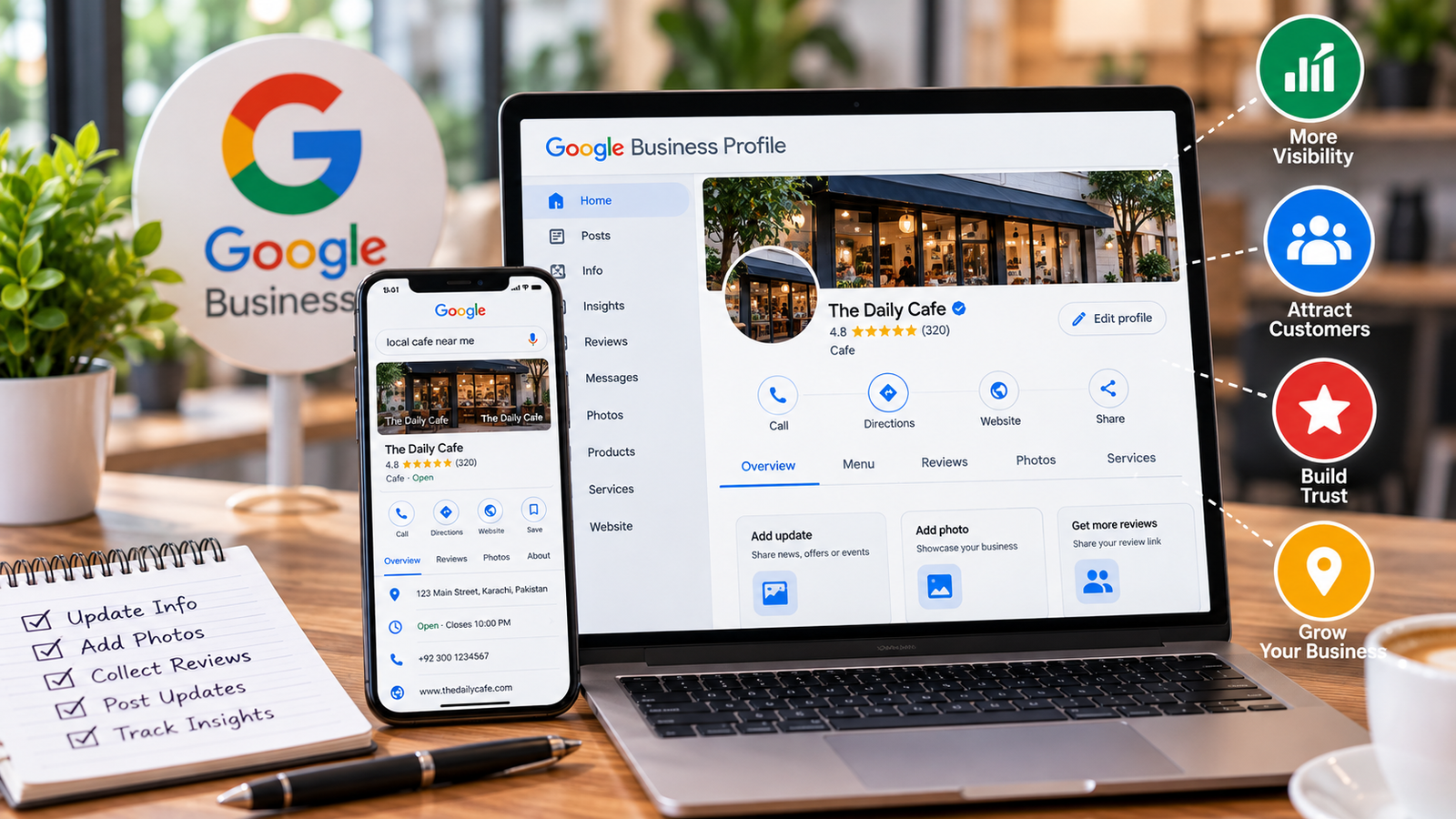
A business needs more than a good product to attract new customers. People must also be able to find it online. Many customers search Google before they visit a shop, book a service, or contact a local company. If your business information is missing or incorrect, these people may choose another provider. This is where Google Business can help.
Google offers a free Business Profile that helps eligible businesses appear on Google Search and Google Maps. Owners can share their opening hours, contact details, photos, services, and other useful information. Customers can also read reviews and find directions. A complete profile gives people a clear picture of what your business offers before they contact you.
However, creating a profile is only the first step. You must keep the information correct, answer customer questions, and show what makes your company useful. This guide explains how to set up your profile, improve it, attract genuine customer interest, and avoid common mistakes.
What Is Google Business and Why Does It Matter?
Google Business usually refers to Google Business Profile, the free tool that lets eligible businesses manage their public information across Google Search and Maps. It replaced the older Google My Business name. You can learn about its features on the official Google Business Profile website.
A profile can display your business name, phone number, website, address or service area, working hours, photos, and customer reviews. Depending on the business type and available features, you may also be able to show products, services, menus, updates, and appointment details.
For example, imagine that someone needs a nearby electrician. They may search for an electrician in their area and compare several listings. A profile with accurate hours, a working phone number, useful service details, and genuine reviews helps the customer decide whom to contact.
This is one reason Google Business can support local marketing. It helps people discover a business when they are already looking for a product or service. It can also reduce repeated questions because customers can check important details before calling.
Still, a profile does not guarantee more sales or a top position in search results. Local visibility depends on several factors, including relevance, distance, and prominence. Your business must also provide a good customer experience after people find it.
How to Set Up Your Business Profile Correctly
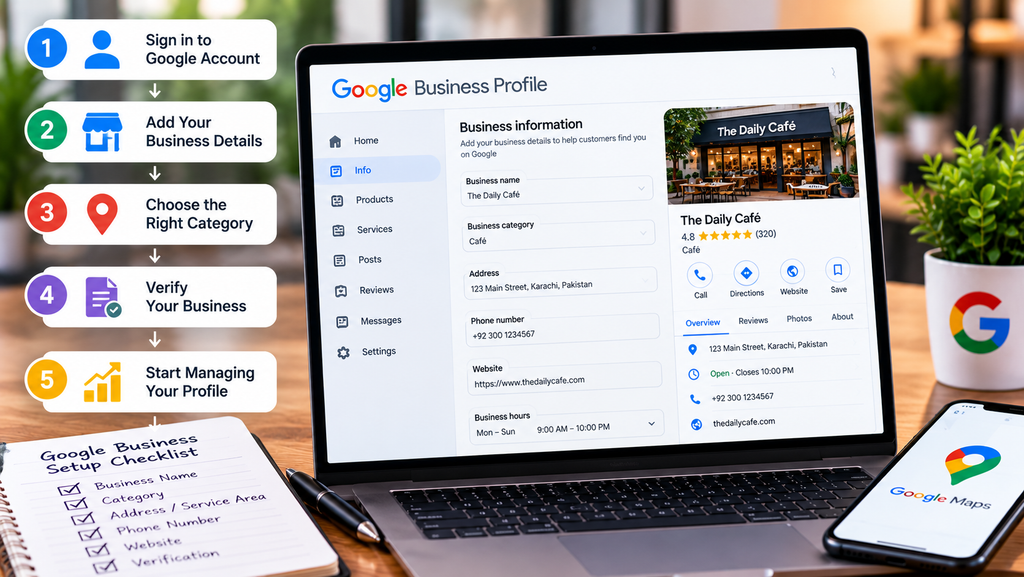
Before creating a new listing, search for your business name on Google Maps. Someone may have already created a listing for the location. If a profile exists, check whether you can claim it instead of making a duplicate.
Next, sign in with the Google account you want to use to manage the business. Follow the official setup process and enter accurate details. Google may ask you to verify that you are allowed to represent the business. The verification methods offered can vary, so follow the instructions shown in your account.
When setting up Google Business, pay attention to these details:
- Business name: Use the real name customers know. Do not add extra keywords, locations, or promotional phrases just to attract clicks.
- Primary category: Choose the category that best describes your main business activity.
- Address: Enter a correct address if customers visit your location.
- Service area: If you travel to customers, select the areas you genuinely serve.
- Phone number: Add a working number that customers can use to contact you.
- Website: Include your official website if you have one.
- Opening hours: Set your normal hours and update them for holidays or special closures.
Not every business should display its address. For example, a service provider who visits customers may qualify to hide the address and use a service area instead. Follow Google’s eligibility and address rules.
A business that operates online only may not qualify for a Business Profile simply because it has a website. Check the current eligibility rules before applying. Accurate information helps customers and reduces the risk of problems with your listing.
How to Improve Google Business for Local Visibility
Once your profile is verified, focus on making it helpful. A complete Google Business listing gives potential customers enough information to understand your offer and decide what to do next.
Start with your business description. Explain what your company does, which services it provides, and whom it serves. Use clear language and real details. Avoid adding a long list of search terms that makes the description hard to read.
Next, add good photos. A restaurant may show its dining area and menu items. A repair company can display its team, equipment, and completed work. A retail shop can show its products and storefront. Use genuine images that represent your business accurately.
Keep your contact details consistent. Your business name, address, phone number, and website should match the information shown on your website and other trusted business listings. If you move or change your phone number, update the relevant pages and profile.
You should also review the services section. List the services you actually provide and explain them in simple terms. Do not add offerings that your business cannot deliver. Customers need correct information more than a long list of claims.
Regular updates can also make your profile more useful. Share relevant news, seasonal changes, new services, or special events when the available features suit your business. Do not post just to appear active. Every update should give customers a clear reason to pay attention.
Google Business performance tools may show information about how people find and interact with your listing. Depending on the features available, you may see search terms, calls, website clicks, or other interactions. Review these details to understand what customers want and which information may need improvement.
Remember that good profile management cannot control every ranking factor. A customer searching from far away may see different results from someone standing near your business. Focus on accurate details, useful content, and genuine service rather than promises of instant rankings.
Reviews, Customer Trust, and Mistakes to Avoid
Customer reviews can help people judge whether a business may suit their needs. Ask customers to share honest feedback after a real purchase or service. You can provide a review link or explain how to leave a review, but do not pressure people to give a particular rating.
Never buy fake reviews or offer rewards in exchange for positive feedback. These actions can break Google’s policies and damage customer trust. A small number of honest reviews is more useful than a large number of misleading ones.
Reply to reviews in a polite and professional way. Thank customers for positive feedback and address complaints without arguing. If someone reports a problem, explain how you will look into it when appropriate. Avoid sharing private customer information in a public reply.
Phone Systems for Small Business: How to Choose the Right Setup
A well-managed Google Business profile should also reflect real business operations. Do not use a false address, create duplicate listings to cover more locations, or add keywords to your business name when they are not part of its real-world name. These shortcuts can cause listing problems.
Another common mistake is leaving outdated information online. Customers may arrive at a closed shop, call a disconnected number, or expect a service you no longer provide. Check your profile regularly, especially after changes to your schedule, location, team, or services.
Do not expect Google Business alone to solve every marketing problem. Your website still needs clear service pages, useful content, mobile-friendly design, and working contact details. Make sure visitors can quickly understand what you do and how to reach you.
Finally, measure meaningful results. Track calls, enquiries, website visits, bookings, and sales where possible. A rise in profile views may be useful, but it does not always mean that more people become customers. Use real business outcomes to decide which improvements deserve your time.
Conclusion
Google Business can help eligible businesses share accurate information and connect with people searching for local products and services. A complete profile makes it easier for customers to check your hours, find your location or service area, view photos, read reviews, and contact your team.
Business Landline: Benefits Costs Features, and How to Choose
Start by claiming the correct listing, completing verification, and checking every detail. Add genuine photos, describe your services clearly, and keep your hours and contact information up to date. Encourage honest reviews and respond to feedback with care.
For lasting results, treat your profile as one part of a wider marketing plan. Maintain a helpful website, provide reliable service, and review performance data to learn what customers need. Google Business cannot guarantee a top ranking, but accurate information and a good customer experience can make it easier for people to choose your business.
1 thought on “Google Business: Ways to Build Trust and Attract Local Customers”