

Business process automation in healthcare providers handle many tasks every day. They book appointments, register patients, manage medical records, process payments, and send follow-up messages. When staff complete every task by hand, small mistakes can cause delays and extra work. Patients may wait longer, while healthcare workers spend less time on patient care.
Business process automation in healthcare helps hospitals, clinics, and medical offices manage routine tasks with software. It can reduce repeated work, improve record handling, and help teams follow clear steps. The goal is not to replace healthcare workers. It is to give them better tools so they can focus on patients and important decisions.
Why Healthcare Providers Need Better Workflows
Healthcare operations involve many connected tasks. A patient may book an appointment, complete registration forms, visit a doctor, receive a prescription, and pay a bill. If each step uses a different system, staff may need to enter the same details more than once.
Business process automation in healthcare can connect these steps and reduce repeated data entry. For example, a digital registration form can send approved patient details to the correct system. Staff can then spend less time copying information between forms and more time helping patients.
Manual work can also create delays. A clinic may rely on phone calls to confirm appointments or remind patients about visits. If staff have a busy day, some calls may be missed. Automated reminders can send messages before scheduled appointments and give patients clear instructions.
Another problem is paperwork. Healthcare teams may handle insurance forms, consent documents, referral letters, and billing records. A clear digital workflow can route each document to the right person and show which tasks still need attention.
Business process automation in healthcare also supports more consistent work. When teams follow the same approved process, they can reduce missed steps and make responsibilities clearer. However, automation must reflect real clinical and administrative needs. A poor process can still cause problems when software repeats it automatically.
Improve Patient Registration and Appointment Scheduling
Patient registration is often the first step in a healthcare visit. Staff may need to collect contact details, insurance information, medical history, and consent forms. When patients complete paper forms, workers must read, check, and enter the information into computer systems.
Business process automation in healthcare can make registration easier through secure online forms and digital check-in tools. Patients may enter basic details before arriving, while staff review the information for errors or missing fields. This can shorten some administrative steps and help clinics prepare for visits.
Appointment scheduling is another useful area. Business process automation in healthcare, record bookings, and send confirmations. Some systems also allow patients to request changes or cancel appointments online. Staff can then use their time for cases that need personal support.
Automated reminders can help patients remember appointments. A clinic may send a message several days before a visit and another reminder closer to the scheduled time. The message should use the patient’s approved contact method and protect private information.
Business process automation in healthcare can also help staff manage cancellations and waiting lists. When a patient cancels, the system may alert staff or offer the opening to another patient under approved rules. This can make better use of available appointment times.
Still, clinics should offer support for people who cannot use digital services easily. Older adults, people with disabilities, and patients with limited internet access may need phone or in-person options. Good automation should make access easier, not create new barriers.
Reduce Errors in Billing and Insurance Tasks
Medical billing can involve many steps. Staff may check insurance details, prepare claims, review service codes, send invoices, and follow up on unpaid balances. Missing information or incorrect entries can delay payment and create extra work for both providers and patients.
Business process automation in healthcare can help organize these administrative tasks. For example, software may check whether required fields are complete before a claim moves to the next stage. It can also send reminders when a document needs review or a payment remains outstanding.
Automation can help route insurance claims to the right team. A claim with missing information may be sent back for correction, while a completed claim can move through the next approved step. Staff should review unusual cases instead of allowing software to make every decision without oversight.
Billing systems can also produce reports on unpaid invoices, claim delays, and common errors. These reports help managers find patterns and decide where the process needs improvement. Clear records make it easier to follow up with insurers and answer patient questions.
Business process automation in healthcare should not make billing less transparent. Patients need understandable bills and a way to ask questions about charges. Automated messages should explain what action is needed and provide a safe route to contact the billing team.
Healthcare organizations should test billing workflows before using them widely. Rules may differ by insurer, service, location, and patient plan. Regular reviews can help teams catch problems when billing requirements change.
Protect Patient Records and Improve Team Coordination
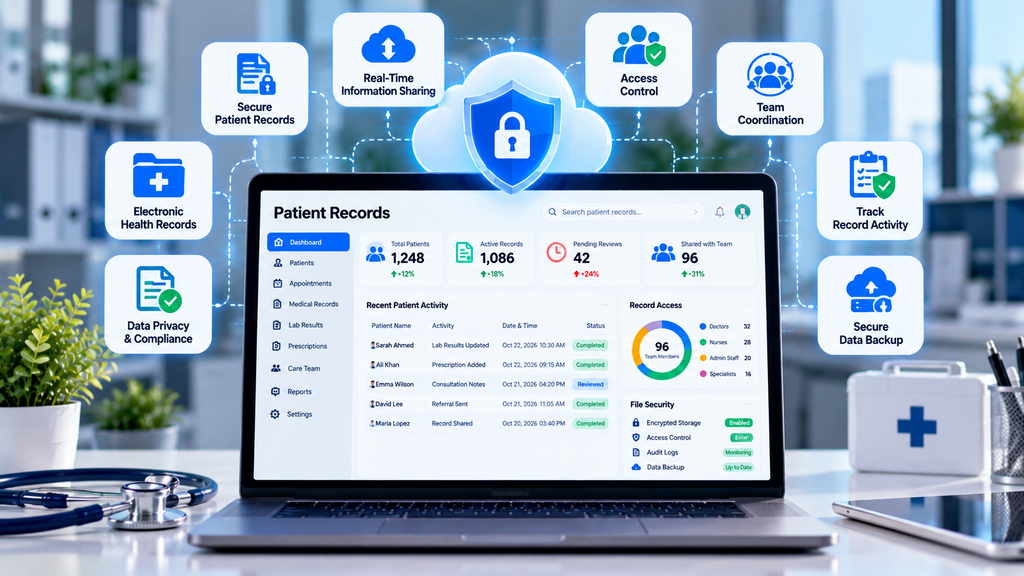
Healthcare teams need accurate information to provide safe care. Patient records may include medical history, allergies, test results, treatment plans, and contact details. If information is stored in separate systems, staff may struggle to find the latest version.
Business process automation in healthcare can help route records, forms, and requests to the right team. For example, a referral workflow may notify the receiving department when documents arrive. It can also show whether a required review remains incomplete.
Digital workflows can support lab requests and result notifications. A system may alert the responsible clinician when a result becomes available. However, clinical staff must interpret results and decide what action is appropriate. Automation should support medical judgment, not replace it.
Privacy is essential in every automated process. Healthcare organizations should limit access to people who need the information for their work. Strong passwords, multi-factor authentication, access reviews, and audit logs can help protect sensitive records.
Business process automation in healthcare should follow applicable privacy laws and organizational policies. Teams must understand where information is stored, who can access it, and whether an outside software provider handles patient data. Contracts and security checks should be completed before a new system is approved.
Staff training matters as well. Employees should know how to use the software, report suspicious activity, and correct inaccurate information. A clear process for system outages is also important so patient care can continue when digital tools are unavailable.
Choose the Right Automation Tools
Healthcare providers do not need to automate every task at once. A better starting point is to find a process that takes too much time, causes repeated errors, or creates avoidable delays. Appointment reminders, document routing, and basic form checks may be suitable first projects.
Business process automation in healthcare works best when the organization understands the current workflow before buying software. Map each step, identify who owns it, and record common problems. Then decide which parts can be automated safely and which need human review.
Compare tools based on their features, ease of use, security, integration options, support, and total cost. A low-cost product may not be useful if it cannot work with the clinic’s existing systems. Ask vendors how the product handles data, software updates, backups, and access permissions.
Start with a small pilot. Choose one department or one administrative task, train the staff involved, and test the process with suitable safeguards. Collect feedback and compare results with the original workflow. This helps managers find problems before expanding the system.
Business process automation in healthcare should have clear measures of success. Track waiting times, form completion, claim errors, missed appointments, and staff workload where relevant. Choose measures that reflect the real purpose of the project rather than focusing only on the number of automated tasks.
Review the results after launch. If patients struggle with online forms or staff must correct frequent errors, improve the workflow before adding more automation. Regular updates help the system remain useful as the organization grows.
Conclusion
Healthcare teams manage many administrative tasks alongside patient care. Repeated data entry, paper forms, scheduling problems, and billing delays can place pressure on staff and patients. Well-planned automation can make these tasks easier to manage and help teams work with more consistent processes.
SaaS Security Posture Management Strategies for Safer Business Operations
Business process automation in healthcare can improve registration, appointment scheduling, billing, document routing, and team coordination. However, it must protect patient information, support staff judgment, and provide alternatives for people who need personal assistance.
Start with one clear problem, choose a suitable tool, and test the process before expanding it. Set measurable goals and review the results regularly. With careful planning, healthcare organizations can reduce avoidable administrative work while keeping patient safety, privacy, and service quality at the center of every decision.
1 thought on “Business Process Automation in Healthcare for Faster and Better Patient Care”