
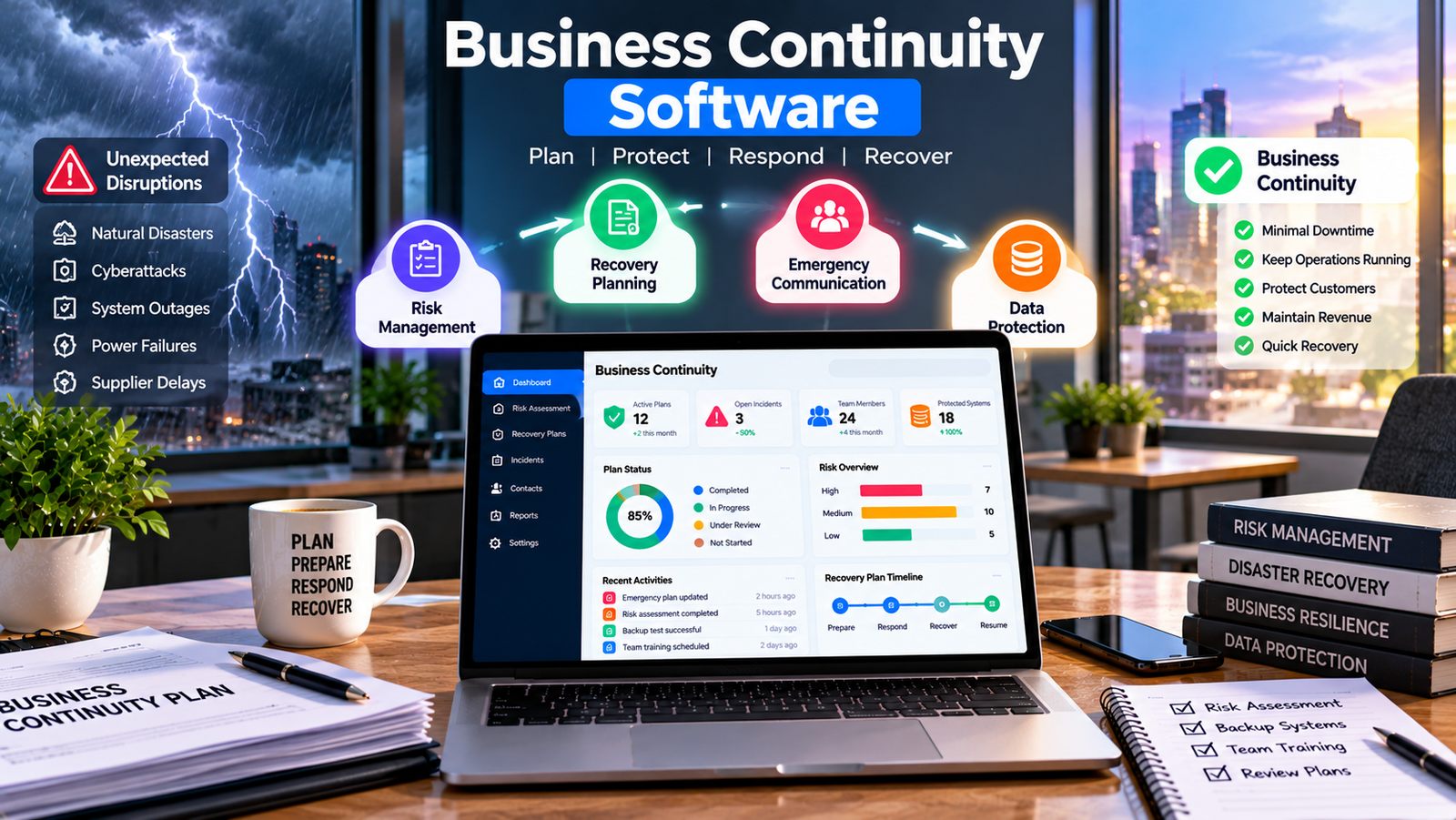
Every business depends on people, technology, suppliers, and daily processes to serve customers. However, unexpected problems can interrupt these activities at any time. A power failure, cyberattack, damaged office, supplier delay, or system outage can stop important work and cause financial losses. Business continuity software helps companies prepare for these situations, organize recovery plans, and guide employees when normal operations are disrupted.
Preparing for unexpected events is not only important for large companies. Small businesses also need clear plans to protect their customers, employees, records, and income. With the right tools, business owners can identify risks, assign responsibilities, and decide which activities must continue during a crisis.
Why Business Continuity Matters and How to Identify Risks
Business continuity software means keeping essential business activities running during a disruption or restoring them within an acceptable time. It requires more than saving files or creating a list of emergency contacts. Companies must understand their risks, decide which services matter most, and prepare practical steps for different situations.
For example, an online store may lose access to its website during a busy sales period. A consulting firm may face an office closure while employees still need to complete client projects. A supplier may stop delivering materials, leaving a manufacturer unable to fulfill orders.
Business continuity software can help organizations document these risks and organize their response plans in one place. Instead of searching through emails and outdated documents, employees can find instructions, contact details, and assigned responsibilities more quickly.
The first step is to identify the problems that could interrupt normal operations. Common risks include electricity failures, internet outages, cyberattacks, hardware problems, severe weather, employee shortages, and supplier delays. Each business should review its own operations because risks vary by industry, location, and company size.
Business owners should also consider how long they can operate without important services. An online store may need its payment system restored quickly, while a small office may be able to continue working temporarily with alternative tools.
A risk assessment helps teams understand which problems could cause the greatest damage. Business continuity software can support this process by recording risks, assigning owners, and tracking actions that reduce those risks.
Companies should review their risk assessments regularly. New employees, software applications, suppliers, and business locations can create new weaknesses. Regular reviews help businesses keep their plans relevant as operations change.
Essential Features of Business Continuity Software
Different organizations need different tools. A small business may need a simple system for storing recovery plans and emergency contacts. A larger company may require advanced risk assessments, reporting, approval workflows, and support for multiple departments.
When comparing business continuity software, businesses should focus on features that solve real problems rather than choosing a product because it has the longest feature list.
One important feature is plan management. It allows teams to prepare, organize, update, and review recovery procedures. Employees should be able to find the latest approved instructions without searching through several folders.
Risk tracking is another useful feature. It helps businesses record possible threats, assess their effects, assign responsibilities, and monitor actions taken to reduce risks. Managers can use these records to identify unresolved problems and decide where additional preparation is needed.
Business impact analysis tools can help organizations identify essential services and understand what happens when those services stop. For example, a company may discover that losing access to customer records would delay orders, damage customer relationships, and increase support requests.
Some platforms also offer emergency notifications, task assignments, document storage, and incident tracking. Business continuity software help employees understand their responsibilities and allow managers to monitor recovery activities.
Reporting tools can provide information about overdue plan reviews, unresolved risks, and completed exercises. This information helps managers understand whether their continuity plans remain useful.
Business continuity software may also connect with document management systems, employee directories, project tools, and communication platforms. Before purchasing a product, businesses should confirm which integrations are available and whether additional fees apply.
Not every platform includes every feature. Some products focus on planning and risk management, while others connect with technical recovery services. Companies should check the provider’s capabilities carefully before making a decision.
How to Protect Business Data and Improve Emergency Communication
Business information can include customer details, financial records, contracts, business continuity software, and project files. Losing access to these records can delay recovery and create additional costs. Companies should prepare clear procedures for protecting information and restoring access when systems fail.
Business continuity software can help document data protection responsibilities and organize recovery procedures. However, it does not always provide backup storage or restore damaged systems directly. Businesses may need separate backup and disaster recovery services.
A practical data protection strategy should include regular backups, secure storage, access controls, and tested restoration procedures. Important backup copies should remain protected if the main system becomes unavailable or compromised.
For example, an accounting firm may need financial records to continue serving customers during an office outage. If the firm has tested its backup process and documented how authorized employees can retrieve essential information, it may be able to resume work more quickly.
Companies should decide how much data they can afford to lose and how long important services can remain unavailable. These decisions help technical teams select suitable recovery methods and set realistic targets.
Communication is equally important during an emergency. Business continuity software, managers may not know who is available, and customers may be left without important updates.
Business continuity software may provide emergency notifications, contact directories, incident updates, or integrations with communication tools. These functions can help businesses share information with the right people when normal communication channels are unavailable.
For instance, if severe weather closes an office, management can notify employees about remote work arrangements and explain how urgent tasks should be handled. If a technical outage affects customers, the company can follow an approved communication plan instead of sending unclear messages.
Businesses should prepare alternative communication methods before a disruption occurs. Contact details must remain accurate, and employees should know how to reach their managers if email or workplace applications stop working.
How to Choose the Right Software for Your Business
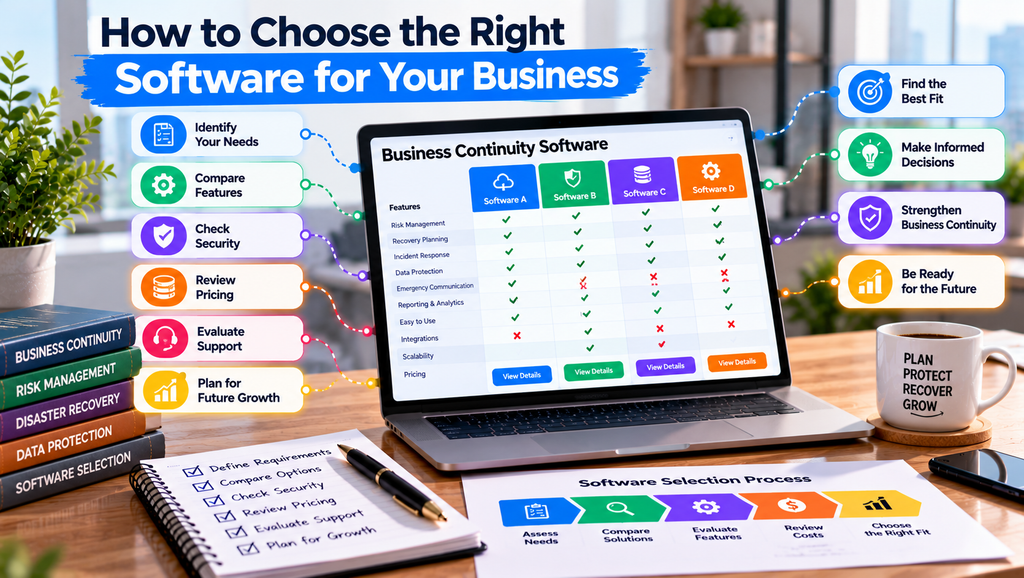
Choosing a suitable platform starts with understanding the company’s size, operations, risks, and budget. A small business may not need the same features as a company with several offices and hundreds of employees.
Before comparing providers, make a list of the problems you want to solve. These might include outdated recovery plans, unclear responsibilities, poor emergency communication, or difficulty tracking risks. This list will help you compare products based on practical needs.
When reviewing business continuity software, consider ease of use. Employees should be able to find emergency instructions, update information, and understand their responsibilities without extensive training. A complicated platform may slow down the response instead of helping.
Security should also influence the decision. Ask providers about user permissions, authentication options, data protection, backups, and access controls. Review the company’s privacy policies and learn how information can be exported if you decide to change providers.
Cost is another important factor. The advertised subscription price may not include setup, employee training, integrations, business continuity software, or additional users. Calculate the expected cost over a full year and ask whether the price may change as the business grows.
A free trial or product demonstration can help you understand how a platform works. Test common tasks, such as finding a recovery plan, updating an emergency contact, assigning a task, and reviewing a risk report.
Invite employees from different departments to test the system. Their feedback can reveal problems that managers might overlook. Ask whether the menus are clear, the instructions are easy to find, and the features match their daily responsibilities.
Business continuity software should also support future growth. As a company adds new services, suppliers, employees, or locations, its continuity needs may change. Choose a solution that can adapt without forcing the business to pay for unnecessary features.
Finally, check the provider’s support options. Find out how users can report technical problems, access training materials, and receive help during an outage. Reliable support can be important when a company depends on the platform for its recovery planning.
Common Mistakes and Best Practices for Business Continuity Planning
One common mistake is creating a plan without assigning clear responsibilities. If nobody owns a recovery task, business continuity software. Every important action should have a responsible person and a clear procedure.
Another mistake is relying on backups without testing whether the information can be restored. A backup that cannot be accessed when needed may provide little practical protection. Companies should test their recovery procedures and correct problems before a real emergency occurs.
Businesses sometimes overlook their suppliers and external service providers. A company may have strong internal systems but still face major disruption if its payment provider, website host, or delivery partner becomes unavailable.
Business continuity software can help document these dependencies, assign responsibilities, and track alternative arrangements. However, managers must still verify the information and decide which backup options are practical.
Employee training is also essential. A written plan cannot help much if staff do not understand their roles. Businesses should arrange simple exercises that allow employees to practise their responsibilities and identify weaknesses.
For example, a company could simulate a full-day internet outage. Employees would need to explain how they would contact customers, access important documents, and complete urgent work. After the exercise, managers could record problems and update the recovery plan.
Software for Business Management to Improve Daily Business Operations
The company should also set clear priorities. Some activities may need immediate attention, while others can wait until essential services return. These priorities should reflect customer needs, financial risks, legal requirements, and the resources available.
Business continuity software can support scheduled reviews, training records, and exercise reports. Managers should use these tools to check whether plans remain current and whether important actions have been completed.
Avoid treating continuity planning as a one-time project. Review procedures after major technology changes, staff changes, supplier changes, or actual incidents. Keep contact lists accurate, remove outdated instructions, and ensure employees can find the latest approved plans.
A practical approach combines suitable technology with clear responsibilities, regular testing, and management support. This makes it easier to identify weaknesses and improve the company’s response over time.
Conclusion
Unexpected disruptions can affect businesses of every size, but preparation can reduce confusion and support a more organized response. Companies need clear recovery plans, reliable communication, protected information, and employees who understand their responsibilities.
Contractor Software for Small Business to Manage Projects
Business continuity software can help organize risk assessments, emergency contacts, recovery procedures, and plan reviews in one place. The right platform should match the organization’s needs, work with its existing systems, and remain easy for employees to use.
Start by identifying the risks that could cause the greatest harm. Prepare practical recovery steps, protect important data, assign responsibilities, and test the procedures before they are needed. Compare software options carefully and make sure the selected system provides the features your business actually requires.
Review your plans regularly and use the results of training exercises to improve them. With consistent preparation and the right tools, businesses can respond more effectively to unexpected events, protect essential operations, and maintain customer trust during difficult situations.