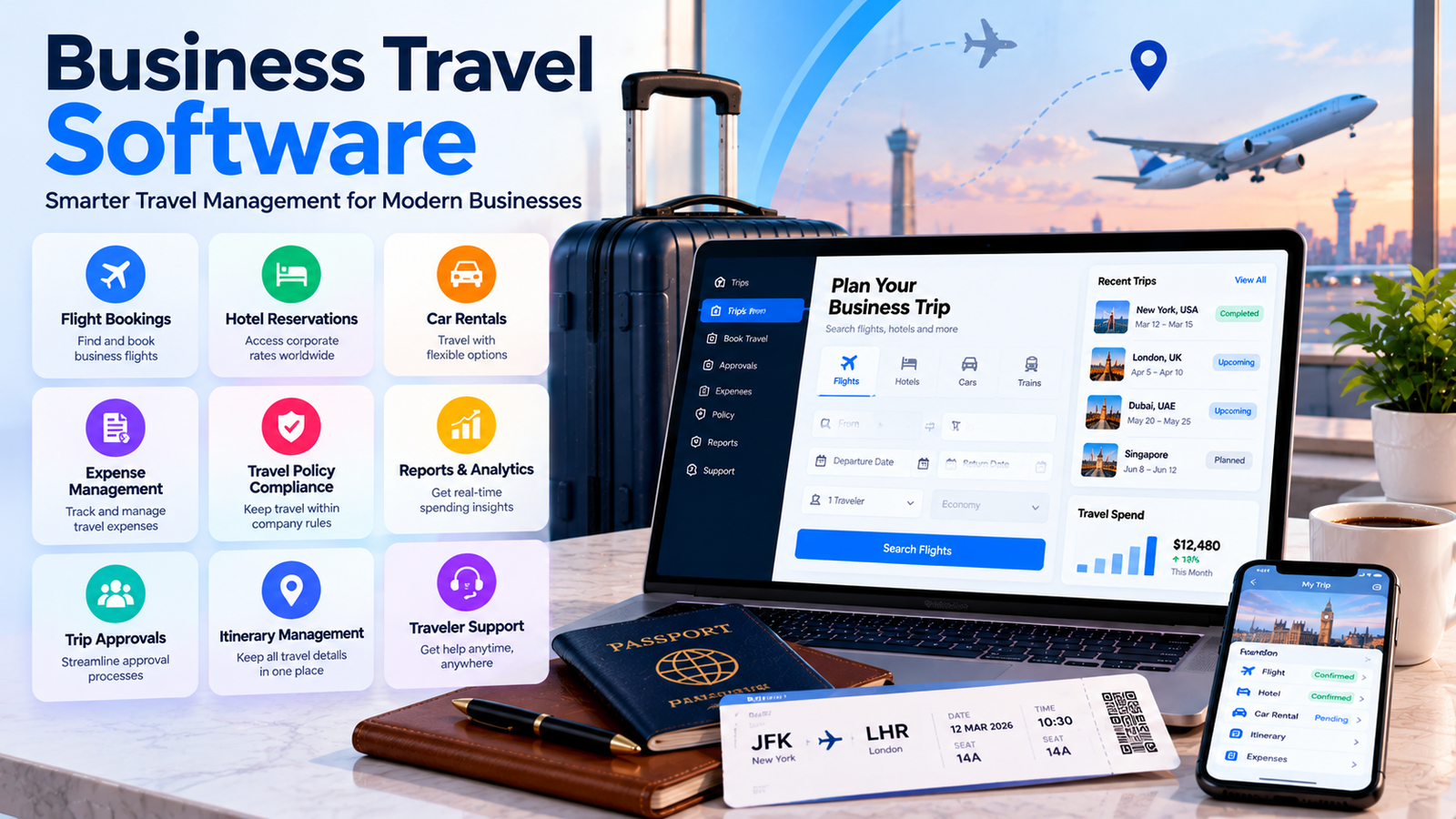
Business travel helps companies meet clients, attend events, train employees, and build new partnerships. However, planning a work trip can involve many tasks. Employees need to compare flights, book hotels, get approval, manage expenses, and keep track of changing schedules. When teams handle everything through separate websites, emails, and spreadsheets, mistakes can happen. Business travel software helps companies organize these tasks and manage work trips through a more connected process.
The right system can help employees plan trips, give managers better control over spending, and reduce the paperwork handled by finance teams. It can also make travel information easier to find when plans change. However, every company has different needs, so choosing a suitable solution requires careful planning.
Why Businesses Need a Better Way to Manage Travel
Many businesses arrange employee trips throughout the year. Some send workers to client meetings, while others attend trade shows, industry events, training sessions, and conferences. Each trip creates costs and requires coordination between employees, managers, travel teams, and finance departments.
Without a clear process, employees may book travel before receiving approval. Managers may struggle to check whether bookings follow company rules. Finance teams may spend hours collecting receipts and matching payments to individual trips.
Business travel software can bring important travel details together. Depending on its features, it may support booking requests, approvals, travel schedules, expense records, and spending reports. This helps employees understand the process and gives managers a clearer view of planned travel.
Consider a small company that sends five employees to a business conference. Each employee might book a different hotel, use a separate booking website, business travel software submit expenses in a different format. The finance team then needs to collect all the details before calculating the total cost.
A shared system can make this process easier by keeping bookings and related information organized. Employees can follow the same steps, and managers can review travel plans before money is spent.
Another benefit is better planning. Companies can review earlier trips to understand common costs, popular destinations, and frequent booking problems. These details can help managers prepare realistic budgets for future travel.
However, software cannot solve every problem automatically. Companies still need clear travel policies, responsible employees, and a process for reviewing bookings and expenses. Technology works best when it supports an organized business process.
Essential Features That Make Business Travel Easier
Different travel platforms offer different services. Some focus on booking flights and hotels, while others connect reservations with approvals, payments, and expense management. Before choosing business travel software, identify the features your employees and finance team actually need.
- Centralized Travel Booking
A booking tool allows employees to search for available flights, hotels, trains, or rental cars through a central platform. Depending on the provider, it may display company-approved options and negotiated rates.
A central booking process can reduce the need to visit several websites. It also helps companies keep travel records together and review bookings more easily.
Before selecting a platform, check which destinations, airlines, hotel providers, and transport options it supports. Availability can vary between providers and regions.
- Travel Approval Workflows
Approval tools help businesses review trip requests before employees confirm bookings. A request may include the destination, travel dates, purpose, estimated cost, and department budget.
For example, a manager might approve a client visit if the expected cost fits the department budget. A more expensive trip may require approval from a senior manager.
Business travel software can automate parts of this process by sending requests to the correct person and recording decisions. Companies should make sure the approval rules match their actual policies.
- Itinerary Management and Travel Alerts
Employees need quick access to flight details, hotel addresses, meeting times, and transport arrangements. An itinerary tool can bring these details together in one place.
Some platforms also provide notifications about booking changes or travel disruptions. Before relying on these alerts, check which airlines, booking channels, and services the platform supports.
- Expense Tracking and Reports
Travel expenses can include accommodation, transport, meals, parking, and other approved costs. Expense tools help employees record these payments and submit receipts.
Business travel software may connect bookings with expense reports, reducing repeated data entry. Some systems also support receipt scanning, spending categories, approval workflows, and reimbursement records.
These features can help finance teams understand what each trip costs and identify expenses that need further review.
- Mobile Access and Employee Support
Employees may need travel information while moving between airports, hotels, and meetings. A mobile-friendly platform makes it easier to check itineraries and submit expenses away from the office.
For international travel, customer support can also be important. Business travel software, available contact methods, and procedures for handling urgent booking problems.
Control Travel Spending and Improve Expense Management
Business travel software can become expensive when companies lack clear budgets or consistent booking rules. Last-minute reservations, unnecessary hotel upgrades, unplanned transport costs, and delayed expense reports can make it difficult to understand the true cost of a trip.
Business travel software can help managers monitor travel spending and compare bookings against company policies. Some systems allow businesses to set spending limits, define approved suppliers, and flag reservations that fall outside their rules.
For example, a company might set a hotel budget for domestic trips and a different limit for international travel. Employees can compare available options within those limits, while managers review exceptions when necessary.
A travel policy should explain which expenses the company covers, which booking options employees may use, business travel software. Rules should be clear enough for employees to follow without asking managers the same questions repeatedly.
Expense reporting is another important part of cost control. Employees should know which receipts they must keep, when they need to submit claims, and how managers approve expenses.
When business travel software connects booking information with expense records, finance teams may spend less time matching reservations, payments, and receipts manually. However, the level of automation depends on the platform, payment methods, and available integrations.
Companies should also review the total cost of each trip rather than looking only at the ticket price. A cheaper flight may require an expensive transfer or an extra hotel night. A slightly more expensive option may reduce travel time and help an employee reach an important meeting on schedule.
Reports can help businesses identify these differences. Managers can compare travel costs by department, destination, project, business travel software, depending on the available reporting features.
Regular reviews also help companies find repeated spending problems. If employees often book too late, managers can encourage earlier planning. If certain routes are expensive, the company can compare alternative travel dates or negotiate suitable rates.
The goal is not simply to spend less. It is to use the travel budget responsibly while helping employees complete important business activities.
How to Choose the Right Platform for Your Company
Choosing a travel platform starts with understanding how often your employees travel and how your company manages bookings today. A small business that arranges occasional client visits may need only simple booking and expense tools. A larger organization with frequent international travel may require advanced approvals, business travel software, traveler support, and connections with finance systems.
Start by reviewing your current process. Identify the tasks that take the most time, create the most errors, or cause the greatest confusion. Ask employees, managers, and finance staff what they need from a new system.
Next, compare the features of different providers. Business travel software should match your travel patterns, budget, and internal policies. Do not assume that every platform includes the same booking options, expense tools, or support services.
Use these questions to guide your comparison:
- Can employees book flights and hotels through one central system?
- Can managers approve trips before bookings are confirmed?
- Does the platform support the destinations and suppliers your company uses?
- Can employees manage itineraries and expenses on mobile devices?
- Does it connect with your accounting or expense management system?
- Can managers create useful reports about travel costs?
- What support is available when a trip changes unexpectedly?
- Are setup, subscription, booking, and support fees clearly explained?
Price is important, but the cheapest option may not provide the tools your business needs. Compare the full cost, including extra users, integrations, implementation, and any transaction fees.
Security should also be part of the decision. Travel systems may store employee details, booking records, business travel software, and travel schedules. Review user permissions, data protection measures, and the provider’s privacy policies before uploading company information.
Ask for a demonstration or trial when available. Test a complete example, starting with a travel request and ending with the expense report. This helps you understand whether the platform fits your team’s real workflow.
Finally, consider future growth. If your company plans to hire more employees or expand into new markets, choose a platform that can support those changes without adding unnecessary complexity.
Common Travel Management Problems and Practical Solutions
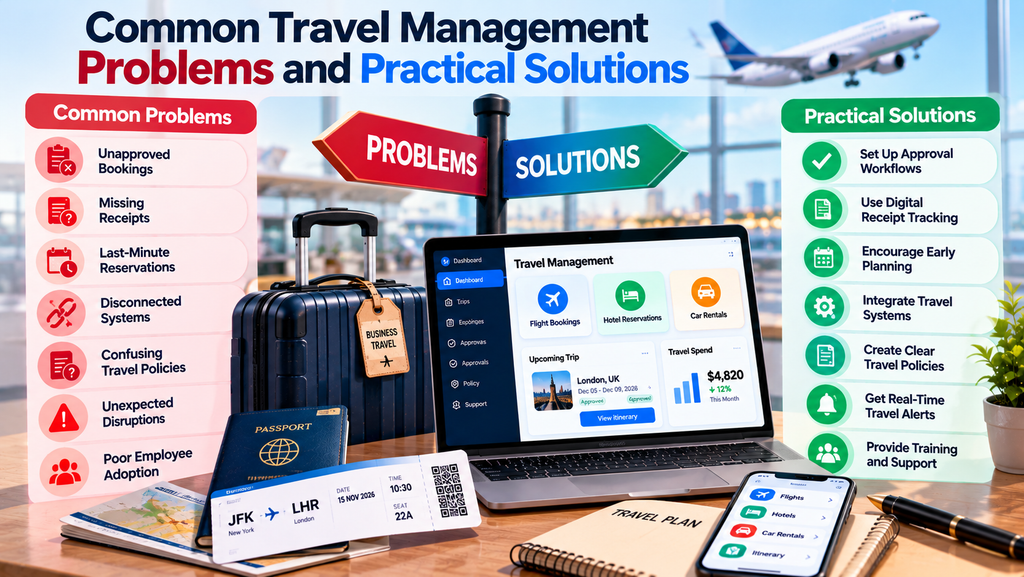
Even a well-designed system needs clear processes and employee cooperation. Businesses should prepare for common problems before they affect a trip.
Unapproved bookings: Employees may reserve flights or hotels before managers review the cost. Set a clear approval process and explain when employees can make reservations. Where available, use approval controls to reduce bookings that fall outside company rules.
Missing receipts: Employees may forget to save receipts for meals, taxis, business travel software. Explain which documents are required and set a deadline for submitting claims. Mobile receipt capture can make this task easier.
Last-minute reservations: Late bookings can limit available options and increase costs. Encourage employees to request trips as early as possible. Managers should also define how urgent travel requests will be handled.
Disconnected systems: Travel details may sit in one platform while expense records remain in another. Business travel software with suitable integrations can reduce repeated data entry, but companies should test the connections before relying on them.
Confusing travel policies: Employees may not know which hotel rates, transport options, or expenses are allowed. Write policies in simple language and provide examples of approved and restricted costs.
Unexpected disruptions: Flight cancellations, schedule changes, and missed connections can affect meetings and project deadlines. Employees should know how to contact the booking provider, inform their manager, and update affected clients.
Poor employee adoption: A new system may fail if employees find it difficult to use. Provide short training sessions and simple instructions. Collect feedback during the first few weeks and resolve common problems before expanding its use.
Companies should review these issues regularly. Reports can reveal repeated booking exceptions, delayed expense submissions, and areas where employees need more guidance.
Contractor Software for Small Business to Manage Projects
It is also important to consider employee safety. Business travel software, companies should establish emergency contacts and explain how travelers can request help. Some platforms provide traveler tracking or risk alerts, but these capabilities vary, so businesses should verify them before purchasing.
Conclusion
Managing employee travel involves more than booking flights and hotels. Businesses must coordinate approvals, control expenses, maintain accurate itineraries, and help employees respond when plans change.
Superpages Business Listing to Improve Local Visibility and Reach More Customers
Business travel software can make these tasks easier by bringing booking information, travel policies, approvals, expenses, and reports into a more organized process. The benefits depend on choosing suitable features and setting clear rules for employees to follow.
Start by identifying the problems in your current process. Compare platforms based on booking options, expense management, integrations, security, support, and total cost. Test the system before introducing it across the company, and provide employees with practical training.
Review travel reports regularly to identify unnecessary costs and improve future planning. With the right system and consistent procedures, businesses can manage work trips more efficiently, give employees a smoother travel experience, and make better use of their travel budgets.