
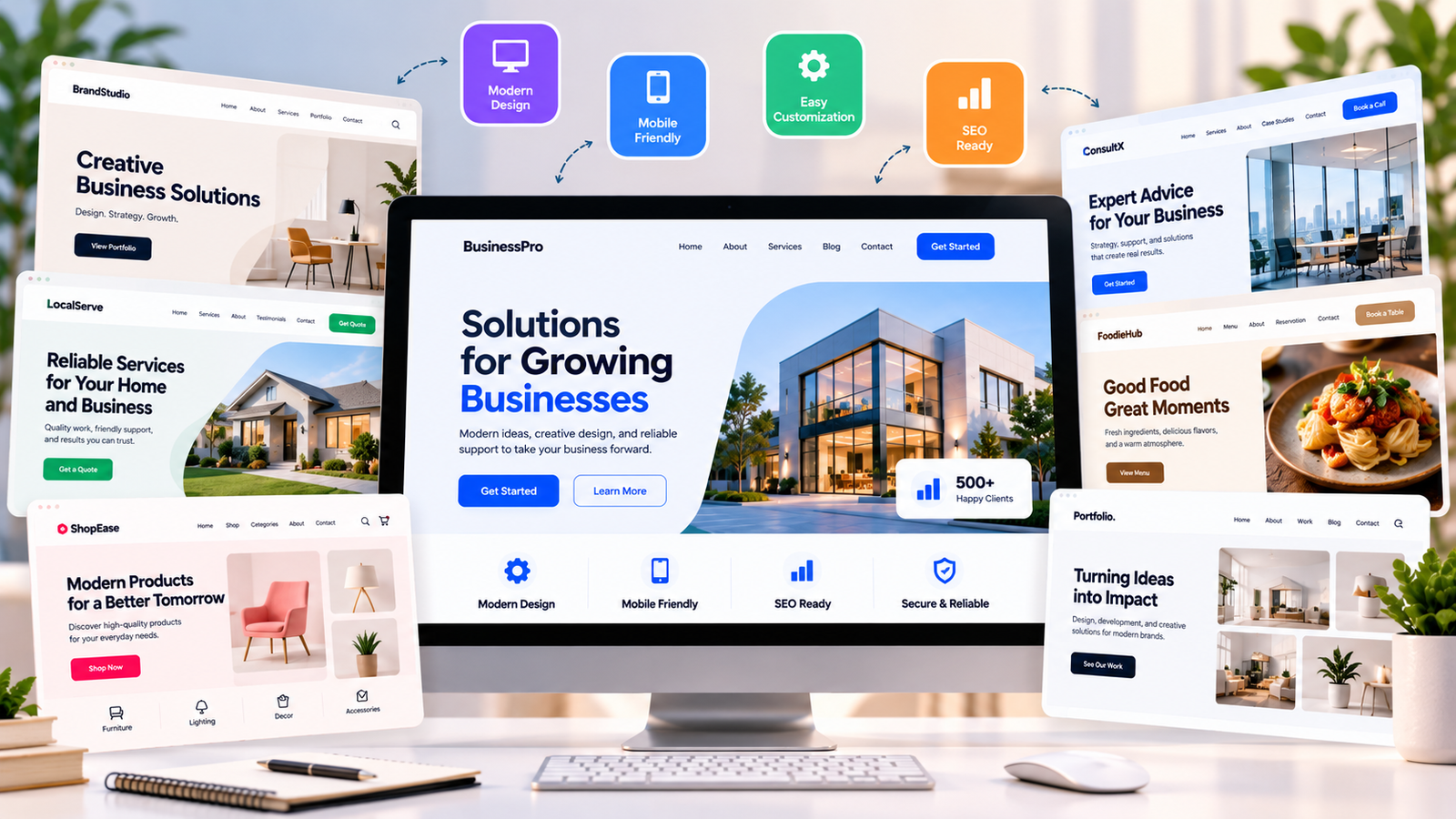
A website can be the first place where a potential customer meets your company. Before they call, send an email, request a quote, or place an order, they may look at your website to decide whether the business feels trustworthy.
That is why business website templates should be chosen for more than their colors, animations, or attractive homepage. A good template should give your content a clear structure, work well on phones, make important information easy to find, and leave enough space for your brand.
The right choice also depends on the type of business. A local service company needs a different layout from an online store, consultant, restaurant, agency, or software company.
Google’s current guidance also puts strong attention on useful, original, people-first content. A website should help visitors complete their task instead of being built mainly to attract search traffic.
What Makes a Website Template Actually Useful?
Many business website templates look impressive in a preview because the demo is filled with professional photos, polished headlines, and carefully written sample text. Once that content is replaced with your own information, the same template can look very different.
The first thing to check is the layout.
Ask yourself:
- Can visitors understand what the business does quickly?
- Is the main service easy to find?
- Is the contact button visible?
- Does the homepage have a clear purpose?
- Can important information be found without opening many pages?
- Does the design still look good on a phone?
A useful template should support your business rather than force your business into a fixed design.
For example, a plumber may need a large phone button, service categories, service-area information, reviews, and a quote form. A photographer may need large image sections and galleries. A consulting company may need service pages, case studies, team information, and a booking option.
This is why business website templates should be judged by structure before visual effects.
Look at the header, navigation, homepage sections, service layouts, footer, contact areas, and blog design. If these sections already match your needs, you will spend less time changing the template later.
Another useful test is to remove the demo images and text mentally. If the layout still makes sense, it is probably a stronger starting point.
Which Template Fits Your Type of Business?
The best business website templates are usually built around a specific type of customer journey.
A local service business needs to answer three basic questions:
- What does the company offer?
- Where does it operate?
- How can a customer contact it?
For this type of company, look for templates with service sections, location information, testimonials, contact forms, maps, and strong call-to-action buttons.
For professional services such as accounting, consulting, legal support, or marketing, credibility becomes more important. The layout should give space to explain expertise, services, previous work, customer results, and frequently asked questions.
An ecommerce business has different needs. Product grids, categories, product details, reviews, shopping features, and checkout access should be easy to reach.
Restaurants and food businesses can benefit from layouts that put menus, opening hours, location, reservations, delivery options, and photos in clear positions.
For agencies and creative companies, business website templates with portfolio sections, project pages, client results, and contact forms can make more sense.
There is also a difference between a template for a new company and one for an established company. A new business may need a simple website that explains its offer clearly. An established company may need more pages for products, locations, employees, resources, case studies, and support.
Do not choose a template just because another company uses something similar. Your customers may have different questions and expectations.
What Should You Change Before Launch?
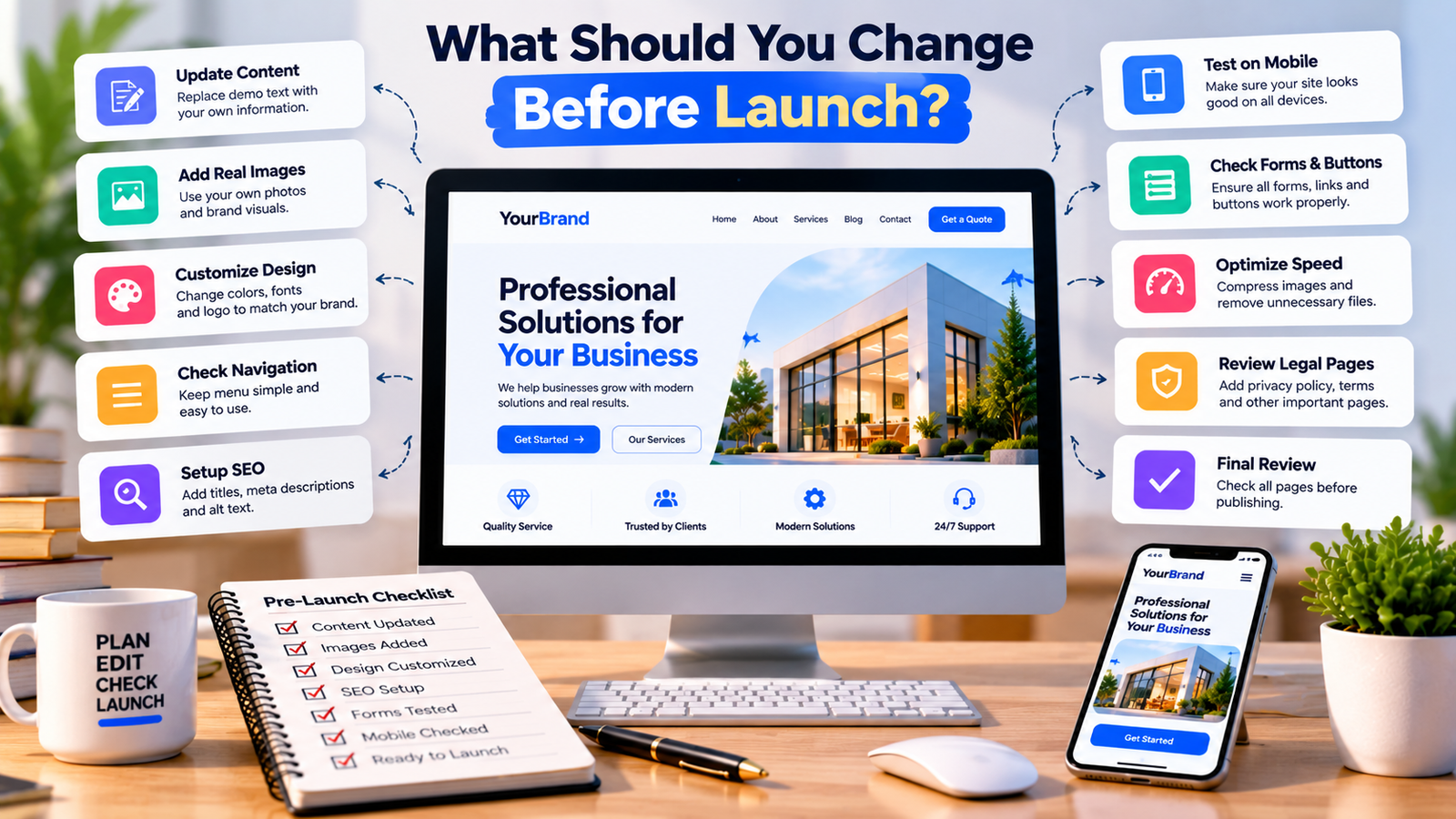
Buying or installing one of the available business website templates does not mean the website is ready to publish.
The demo content should be replaced with information that belongs to your company.
Start with the homepage. Write a headline that clearly explains what you sell or provide. Avoid vague phrases that could describe almost any company.
Next, review the service or product pages. Each important service should have enough information for a visitor to understand what they are getting. Include pricing when appropriate, process details, service areas, FAQs, photos, or examples of previous work.
Your navigation should also be checked. Keep the main menu simple. A visitor should not need to search through several dropdowns to find a basic service or contact page.
Images need attention too. Large demo images can slow down a website, especially on mobile connections. Replace them with relevant images and compress them before uploading.
You should also check every button and form.
Test:
- Contact forms
- Phone links
- Email links
- Booking buttons
- Product buttons
- Menu links
- Social links
- Mobile navigation
- Search function
- Checkout, if applicable
Another area that is often ignored is the footer. Add useful information such as contact details, important pages, business hours, privacy information, and location details where relevant.
Good business website templates can save design time, but they do not replace the work of preparing accurate business information.
SEO should also be considered before launch. Give each important page a clear title, useful heading structure, descriptive URL, relevant content, and suitable image alt text. Google recommends using words that people would use to search for your content in prominent and descriptive places.
How Do You Know When a Template Is Worth Keeping?
The real test of business website templates is not how the demo looks. It is how easily the finished website helps a real visitor.
Open the site on a phone and pretend you are a first-time customer.
If you sell a service, try to find the service page and contact button. If you run a store, try to find a product and understand how to buy it. If you operate locally, see whether your location and opening hours are easy to find.
Pay attention to small problems.
Does the menu cover the screen? Are buttons too small? Does the text sit too close together? Are important sections buried below large images? Does the homepage take too long to load?
These problems can matter more than having an expensive-looking design.
A strong template should also give you room to grow. Your business may add new services, publish useful articles, create landing pages, add customer reviews, or start selling products later.
That means flexibility is worth considering before installation.
You should also check how easy it is to edit the template. If changing a simple heading requires technical help every time, it may become expensive over the long term.
Another useful factor is support. Check whether the template receives updates and whether documentation is available. If it depends on plugins or a specific website builder, make sure those tools fit your long-term plans.
The best business website templates give you a strong starting structure while allowing your own brand, content, and customer needs to take priority.
There is no need to fill every section just because the demo has it. Remove anything that does not help your visitors. A shorter page with useful information can be better than a long page filled with unnecessary sections.
Small Business Website Design Services: What Your Business Really Needs
Google’s guidance also warns against producing content mainly for search engines or adding material without real value. The same idea works for website design: every section should have a reason to exist.
FAQs About Business Website Templates
- Are business website templates good for small companies?
Yes. Business website templates can give small companies a ready-made structure for pages such as Home, About, Services, Contact, and Blog. The important part is replacing demo content with real information that matches the company and its customers.
- Should I choose a free or paid template?
A free template can be enough for a simple website. A paid option may provide more layouts, customization options, support, updates, or advanced features. Compare what you actually need instead of choosing based only on price.
- Can I customize business website templates?
Most modern templates allow some level of customization. You can usually change colors, fonts, images, logos, page sections, menus, and content. The amount of control depends on the website platform and template.
- Do templates affect SEO?
A template can affect technical areas such as page structure, mobile usability, loading performance, and how content is presented. However, a template alone does not create strong search rankings. Useful content, good site structure, relevant pages, and technical quality still matter.
- Should a business use the same template as a competitor?
There is no need to. Even if a template works well for another company, your customers may have different needs. Choose a structure that fits your services, content, brand, and customer actions.
- What should I check before buying a template?
Check mobile design, page layouts, editing options, speed, plugin requirements, updates, documentation, support, licensing, and whether the template has the sections your business actually needs.
- Can I change the template later?
Yes, but changing templates can require design work and sometimes content adjustments. It is better to choose a flexible foundation at the start so future changes are easier.
- Do website templates include hosting?
Usually, the template itself is separate from hosting. Depending on the platform, you may need to purchase hosting, a domain, plugins, or other services separately.