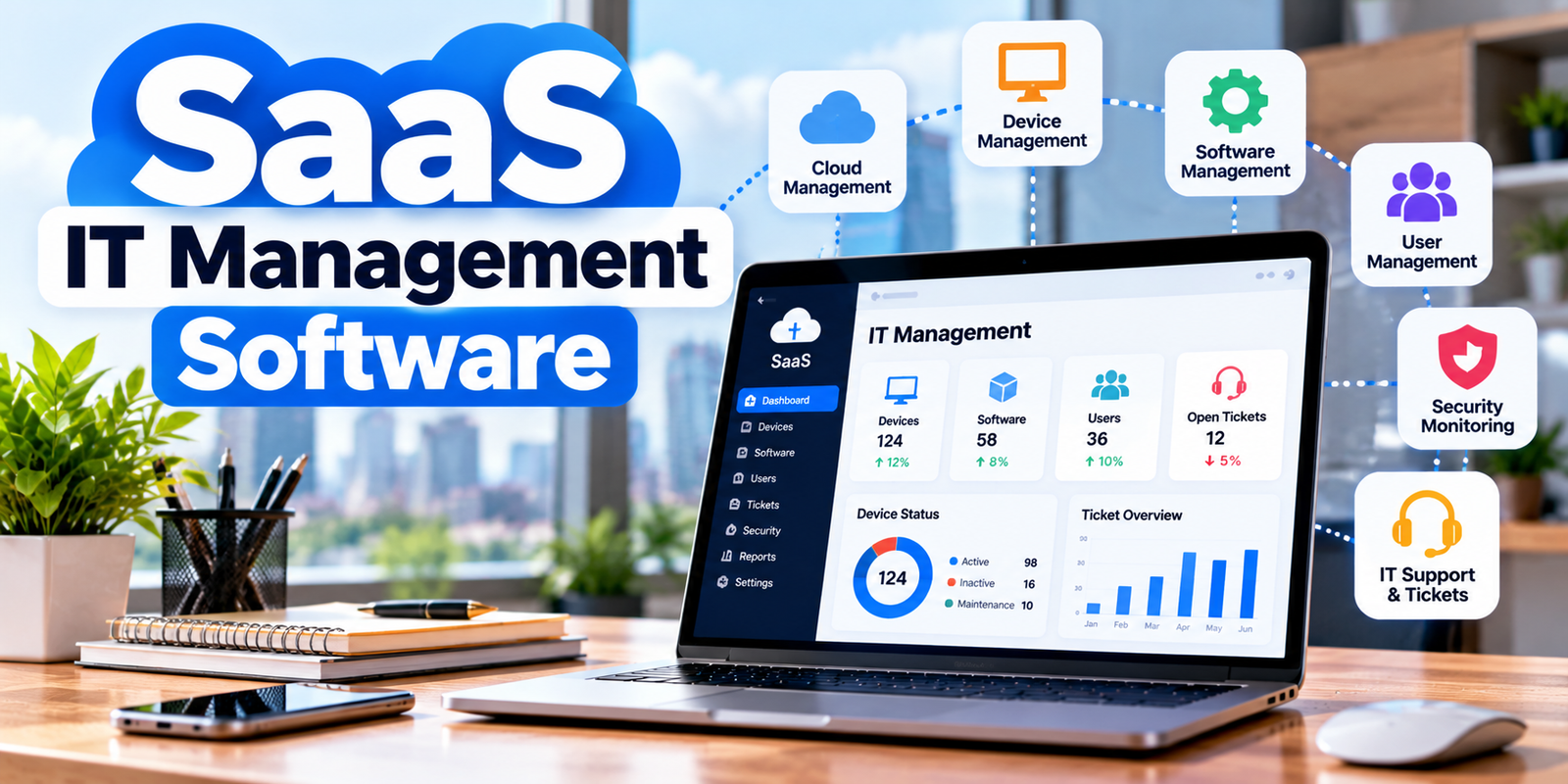
Businesses use many digital tools to manage their work, communicate with customers, store files, and protect important information. As a company grows, keeping track of computers, software subscriptions, user accounts, security updates, and technical problems can become difficult. A clear IT management system helps teams handle these tasks with less confusion.
This is where saas it management software can help. It gives businesses access to IT tools through the internet, usually through a monthly or annual subscription. Instead of maintaining every software system on their own servers, companies can use a provider’s online platform to manage different parts of their IT operations.
These tools can support small businesses, growing companies, and larger organisations. However, every company has different needs, so choosing the right solution requires careful planning. This article explains the main features, business benefits, common challenges, and practical steps for selecting a suitable platform.
What Is SaaS IT Management Software?
SaaS stands for Software as a Service. It allows users to access software through a web browser or application while the provider manages much of the underlying hosting and maintenance. IT management software helps businesses organise and monitor their technology, including devices, applications, users, support requests, and security tasks.
In simple terms, saas it management software gives an IT team a central place to handle common technology responsibilities. Depending on the product, employees may use it to report technical problems, manage company devices, track software licences, or review system activity.
For example, a small marketing agency may have 15 employees using laptops, email accounts, design tools, and project management applications. Without a central system, an IT manager might track subscriptions in a spreadsheet, handle support requests through email, and update device records manually. A suitable platform can bring several of these activities together.
Not every product covers saas it management software. Some tools focus on help desk tickets, while others specialise in asset tracking, endpoint security, software deployment, or cloud administration. Businesses should understand these differences before choosing a platform.
A cloud-based service can also make remote administration easier because authorised staff can access the system from different locations. The exact access options depend on the provider, user permissions, internet connectivity, and security settings.
Key Features Businesses Should Look For
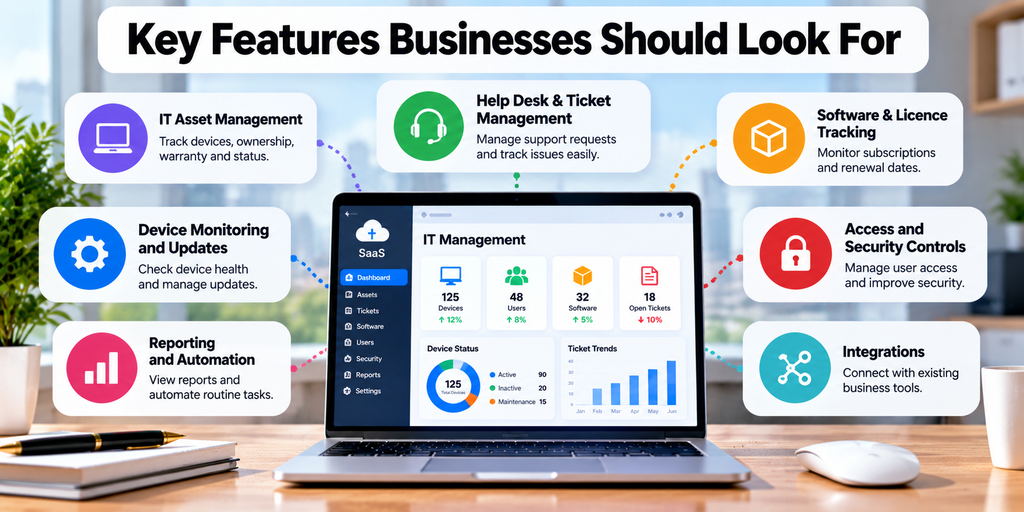
The best platform depends on the size of the company and the problems its IT team needs to solve. When comparing saas it management software, start with features that address current needs instead of paying for a long list of tools that employees may never use.
IT asset management: This feature helps businesses maintain records of computers, monitors, mobile devices, and other equipment. Staff can record ownership, assigned users, purchase dates, warranty details, and device status. Accurate records make it easier to find missing equipment and plan replacements.
Help desk and ticket management: Employees can report technical issues through a central portal. Support staff can assign tickets, set priorities, track progress, and record solutions. This reduces the risk of requests getting lost in personal inboxes or informal chat messages.
Software and licence tracking: Businesses often pay for many online applications. A licence management feature can help teams review subscriptions, identify unused accounts, and monitor renewal dates. Before cancelling a licence, the business should confirm that nobody still needs it.
Device monitoring and updates: Some platforms help IT teams check device health, identify outdated software, and organise approved updates. More advanced products may support remote actions, but administrators should test changes before applying them across the whole organisation.
Access and security controls: User management features can help administrators grant or remove access when employees join, change roles, or leave. Multi-factor authentication, role-based permissions, activity logs, and integration with identity services can provide extra protection when supported.
Reporting and automation: Reports can show ticket volumes, response times, device status, and recurring problems. Automation may handle routine tasks such as assigning requests or notifying staff about upcoming renewals.
A business evaluating saas it management software should confirm which features are included in the chosen plan. Some providers charge extra for advanced reporting, integrations, automation, or additional users.
Benefits of Using a SaaS-Based IT Management Platform
A well-chosen platform can improve the way a company manages its technology. One key benefit of saas it management software is that it can reduce the need to maintain separate records and processes for every IT task.
Centralised information helps staff find important details more quickly. Instead of checking several spreadsheets, an administrator may be able to review a device’s assigned user, warranty information, and support history from one place. This can save time and improve the quality of IT records.
Another benefit is better visibility. saas it management software, identify repeated technical problems, and see which devices require attention. These details help the team decide which tasks need immediate action and which can wait.
Cloud delivery can also reduce some infrastructure work. The provider usually manages the service’s hosting and platform maintenance, although the customer still needs to manage its own users, configurations, data, and security responsibilities. This arrangement may suit companies that do not want to operate additional servers for every management tool.
SaaS platforms may also support teams working from different offices or home locations. Authorised staff can use a shared system to coordinate support requests and review technology records, subject to the provider’s access and security controls.
Android Back Button Image: How to Find, Use, and Fix It
However, saas it management software does not automatically reduce every IT cost. Subscription fees, implementation, staff training, integrations, and data migration can add to the total expense. Businesses should compare these costs with measurable improvements, such as fewer repeated tasks, faster support, and better control over software spending.
How to Choose the Right Software and Manage Common Risks
Selecting a platform starts with understanding the business. Before contacting providers, list the main IT problems, the number of users, the types of devices, the applications already in use, and the tasks that consume the most staff time.
When reviewing saas it management software, compare each option against this list. A small company may need only ticket tracking and asset records, while a larger organisation may require endpoint management, advanced reporting, identity integrations, and automated workflows.
Check security and privacy. Review the provider’s security documentation, data handling terms, access controls, saas it management software, and incident response process. Ask where business data is stored and what happens to it when the contract ends. The right questions will depend on the type of information the company manages and the rules that apply to its industry.
Review integrations. A platform should work with the company’s existing systems where possible. Check whether it connects with identity providers, email, collaboration tools, device management systems, and other important applications. Confirm whether integrations are included in the plan or require extra fees.
Understand pricing. Compare the subscription price, user limits, device limits, support options, and renewal terms. Ask about charges for setup, data migration, premium features, and additional storage. A low starting price may not reflect the full cost after the business grows.
Test the product. Use a trial or demonstration to complete realistic tasks. For example, create a support ticket, add a device, assign a user, generate a report, saas it management software. Ask employees who will use the system to share feedback before making a final decision.
Plan implementation. Move essential records carefully, assign an administrator, and train the team. Start with a limited group if possible, then expand after resolving any problems. Keep a record of the previous process until the new system works reliably.
A company adopting saas it management software should also plan for service interruptions and provider changes. Check whether data can be exported in a useful format, how support is provided during outages, and how the business can continue essential work if the platform becomes unavailable.
Finally, review performance after launch. Track ticket resolution time, recurring issues, licence usage, and staff feedback. These measures help the company decide whether the platform is delivering value or needs changes.
Conclusion
Managing technology becomes harder as businesses add employees, devices, applications, and remote working arrangements. A suitable IT management platform can help bring key records and processes together, improve support, track assets, and give managers a clearer view of daily IT operations.
US B2B Companies Small Size SaaS AI Services and Business Benefits
The value of saas it management software depends on how well it fits the company’s needs. Businesses should compare features, check security and privacy practices, understand the full cost, and test important workflows before committing to a long-term subscription.
Start with the most saas it management software and choose a platform that solves it without adding unnecessary complexity. With proper planning, staff training, and regular performance reviews, a SaaS-based system can support more organised and reliable IT operations as the business grows.