


Newsletter Updates Benefits Examples and How to Write Them
Newsletter updates are short, regular emails that keep your audience informed about your business. They share news, tips, offers, and useful content in one simple message. Many small businesses use them to stay in touch with customers without spending a lot of money.
If you run a business, your customers need a reason to remember you. A website visit or a single purchase is not enough. Readers expect these emails in their inbox because they remind them that your business is active, helpful, and worth following.
In this guide, you will learn what they are, why they matter, the main types, and how to write them step by step. You will also see examples, tools, common mistakes, and answers to the most common questions.
Table of Contents
What Are Newsletter Updates?
Newsletter updates are emails you send on a regular schedule to people who signed up to hear from you. Each email gives a short update about your business, your products, or your industry. The goal is to inform and help, not only to sell.
A good newsletter update is short and easy to scan. It usually has a clear headline, a few short sections, and one clear call to action. Readers should understand the main point in less than a minute.
Newsletter updates are different from a sales email. A sales email pushes one product or one offer. A newsletter update gives value first. It can share a new blog post, a helpful tip, a company update, or a special offer, but the focus stays on the reader.
Most businesses send newsletter updates weekly or monthly. The best schedule is the one you can keep.
Why Newsletter Updates Matter for Your Business
A good newsletter keeps your business in front of your customers. Social media posts disappear fast, and search traffic is hard to control. An email list is an audience you own. It lands directly in the inbox of people who already showed interest in your business.
Regular emails build trust over time. When readers get useful emails from you again and again, they start to see your business as reliable. That trust makes them more likely to buy from you, recommend you, and come back for more.
Newsletter updates also bring people back to your website. Each email can link to a new article, a product page, or a special offer. This steady traffic helps your business grow, and it supports your other marketing work. A strong newsletter supports lead generation because every signup is a new person you can reach again.
Finally, they give you useful feedback. You can see which emails people open and which links they click. That data shows you what your audience cares about, so your next email can be even better.
Types of Newsletter Updates
Each type serves a different purpose. You do not need to use all of them. Pick the one that fits your business and your audience.
Company news updates. These share what is new in your business. New products, new team members, new locations, or awards all fit here. Keep the news short and explain why it matters to the reader.
Educational updates. These teach the reader something useful. A tip, a how-to, or a short guide works well, and these emails build authority because they prove you know your subject.
Curated updates. These collect the best content from around the web. You share a few links with a short note on each one. Curated emails are fast to write and useful for readers who want a summary.
Promotional updates. These share offers, discounts, or new products. They can work well, but they should not be the only emails you send. Too many sales emails make people unsubscribe.
Customer story updates. These share reviews, case studies, or customer wins. They build trust because readers see real results from real people. You can also share customer service updates to show how you help your customers after the sale.
How to Write Newsletter Updates
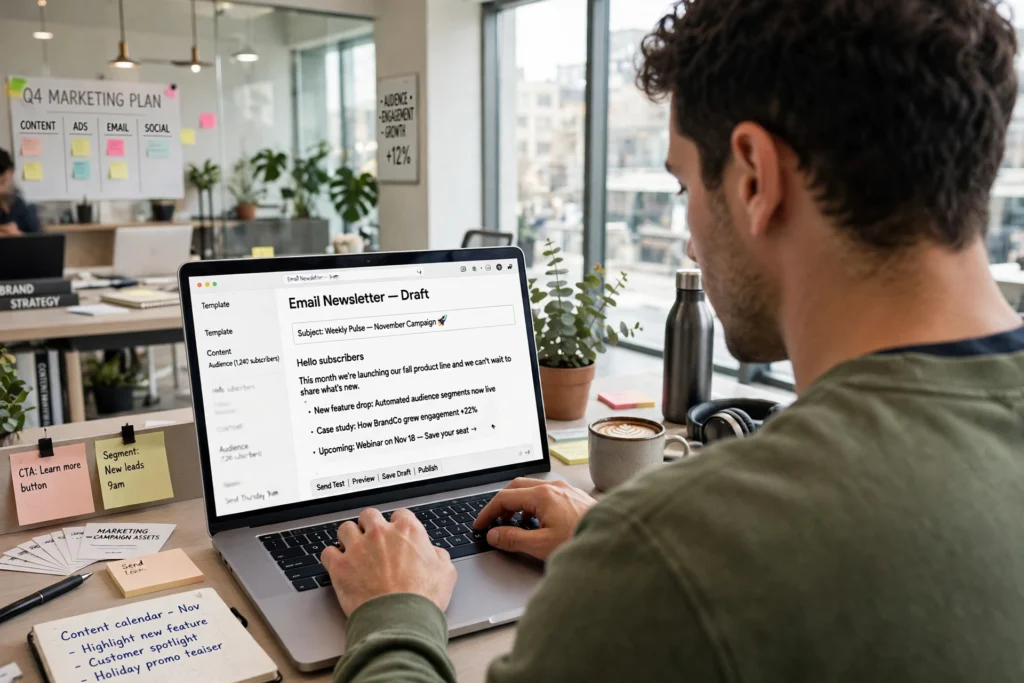
Writing good newsletters is a skill you can learn. Follow these steps each time you write one.
1. Know your goal. Decide what the email should do before you write. Do you want readers to read an article, try a product, or join an event? One email should have one main goal.
2. Write a clear subject line. The subject line decides whether people open your email. Keep it short, specific, and honest. Avoid clickbait.
3. Start with the most important point. Readers decide in a few seconds whether to keep reading. Put your main message at the top, not at the bottom.
4. Keep it short. Most readers scan emails. Use short paragraphs, short sentences, and clear headings. Cut any sentence that does not add value. Keep them short enough to read in two or three minutes.
5. Add one clear call to action. Tell readers what to do next. Use a simple button or link, such as “Read the guide” or “Shop the sale.” One clear action works better than five links.
6. Make it easy to read on a phone. Most people open emails on their phones, so use a single column and buttons that are easy to tap.
7. Check before you send. Read the email once more before you send it to your list. Check the links, the spelling, and the names. Send a test email to yourself first and open it on your phone.
Best Practices and How Often to Send Newsletter Updates
Good newsletters follow a few simple rules. First, send on a regular schedule. Readers like to know when to expect your email. Weekly is common for active businesses, and monthly works well for smaller teams. Pick a schedule you can keep for at least six months.
Second, be consistent with your format. Use the same layout and tone each time so readers recognize your email at a glance.
Third, personalize when you can. Use the reader’s first name in the greeting if you have it. Segment your list when possible, so different groups get content that fits them.
Fourth, respect your readers’ time and inbox. Do not send too often. If you send daily emails with little value, people will unsubscribe. If you send once a month with useful content, they will stay.
Fifth, always include an easy way to unsubscribe. It is required by law in many countries, and it is good practice. People who leave quietly are better than people who mark your email as spam.
Finally, test and improve. Try different subject lines and send times. Keep what works and drop what does not.
Best Tools and Platforms for Newsletter Updates
The right tool makes this much easier. Here is a simple comparison of popular options.
| Tool | Best For | Free Plan | Paid Plans Typically Start At |
|---|---|---|---|
| Mailchimp | Small businesses and beginners | Yes | Around $13 per month |
| Constant Contact | Small businesses and events | Free trial available | Around $12 per month |
| HubSpot | Growing teams that want CRM and email together | Yes, with free tools | Varies by plan |
| Brevo | Transactional and marketing email | Yes | Around $9 per month |
Mailchimp is a popular choice for beginners because it is easy to use and has ready-made templates. Learn more in the Mailchimp resources library.
Constant Contact is known for simple design tools and good support for small businesses. Its blog shares practical email tips.
HubSpot combines email with a free CRM, so you can track contacts and sales in one place. Its email marketing guide explains the basics in detail.
Before you choose a tool, think about your list size, your budget, and the features you need. Most tools offer a free plan or trial, so test one before you pay.
Newsletter Updates Examples
Here are a few simple examples from different kinds of businesses.
A local bakery sends a monthly email with the seasonal menu, a new recipe, and a weekend discount.
A software company sends a weekly email with one product tip, one new feature, and one link to a helpful article. The email helps users get more from the product they already pay for.
An online store sends a monthly email with new arrivals, best sellers, and a customer review. The email drives sales without feeling pushy because most of the content is useful.
Notice the pattern. Each email gives value first and asks for something second. That is the key to newsletter updates that people actually open.
Common Mistakes to Avoid in Newsletter Updates
Many newsletters fail for the same few reasons. Avoid these mistakes.
Sending too often. Daily emails with little value push people to unsubscribe. Send only when you have something worth saying.
Writing too much. Long walls of text scare readers away. Keep each section short and use headings so readers can scan.
No clear purpose. If the email has no goal, readers will not know what to do. Every email needs one main message and one clear action.
Boring subject lines. A vague subject line like “Our monthly newsletter” does not make people open the email. Be specific about what is inside.
Ignoring mobile readers. If your email looks broken on a phone, most readers will delete it. Always test on a mobile device.
Buying email lists. Never buy a list of email addresses. Those people did not ask to hear from you, and your emails will be marked as spam. Build your list slowly with signup forms and useful content.
Forgetting to test links. A broken link wastes the whole email. Click every link before you send.
A Practical Example of Newsletter Updates
Imagine you run a small online shop that sells kitchen tools. You want to send a monthly email to your customers.
Your subject line is “3 kitchen tools that save you 20 minutes every day.” The email has three short sections, one for each tool, with a photo and a link. At the end, you add a customer review and a 10 percent discount for subscribers.
The whole email takes about two minutes to read. It is useful even for readers who do not buy anything, and it drives sales because the products match the tips.
This is how good newsletters work. They help the reader first, and they help your business second. If you follow this pattern, your emails will get more opens, more clicks, and fewer unsubscribes over time.
FAQs About Newsletter Updates
What are newsletter updates?
Newsletter updates are regular emails sent to subscribers. They share news, tips, offers, and useful content from your business in a short, easy-to-read format.
How often should I send newsletter updates?
Most businesses send them weekly or monthly. Weekly works for active businesses with fresh content. Monthly works well for smaller teams. Pick a schedule you can keep.
What should I put in a newsletter update?
Include one main message, two or three short sections, and one clear call to action. Mix useful content with news or offers. Keep it short and easy to scan.
How do I grow my email list?
Add signup forms to your website, offer a useful freebie like a guide or discount, and promote your newsletter on social media. You can also learn the basics in our guide to email marketing.
Are newsletter updates still worth it in 2026?
Yes. Email is still one of the most direct ways to reach customers. Unlike social media, you own your email list, and your message lands in the inbox of people who asked to hear from you.
What is the best tool for newsletter updates?
It depends on your needs. Mailchimp is easy for beginners, Constant Contact works well for small businesses, and HubSpot is good when you want email and CRM together. Try a free plan first.
Final Thoughts
Newsletter updates are a simple and low-cost way to stay close to your customers. They build trust, bring traffic to your website, and support your sales over time. The key is to be useful, be consistent, and respect your readers.
Start small. Pick a schedule you can keep, write a short email with one clear message, and send it. Then learn from the results and improve the next one.
If you want to grow faster, combine your newsletter with a clear plan for new subscribers. Every signup is a new reader you can reach again and again.